
Nine of the ten cuci brands run on the same lobby platform, so the sign-up form is almost identical whichever one you open. Learn it once and you can join any of them, provided you have your phone in hand and know exactly how your bank prints your name.
The one detail that trips people up is not the form itself. It is the gap between the name typed at registration and the name on the bank account that will later receive the money.
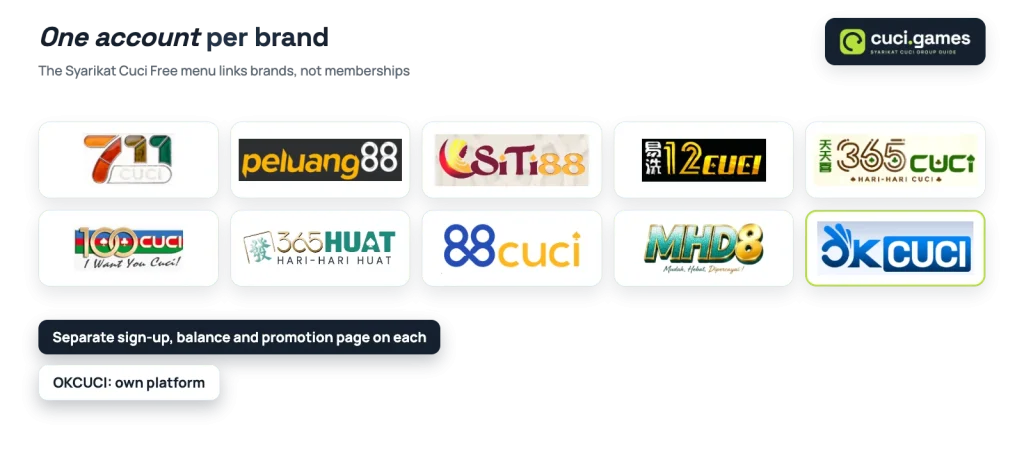
Every lobby carries a side-menu list titled Syarikat Cuci Free with all ten brands in it. Those links jump you from one lobby to another, but they do not carry your membership with you. Each brand holds its own members, its own balance panel and its own promotion page, so joining a second brand means filling in the form again and verifying your number again.
So choose the brand before you type anything. The promotion pages differ: some show a Free Credit 365 card and an app credit, some show neither, and the welcome percentages are not the same. If you have not decided yet, pick a brand first and come back to the form.
A smaller sister brand such as 88CUCI is a different proposition from a flagship one, and the sign-up form will still look the same.
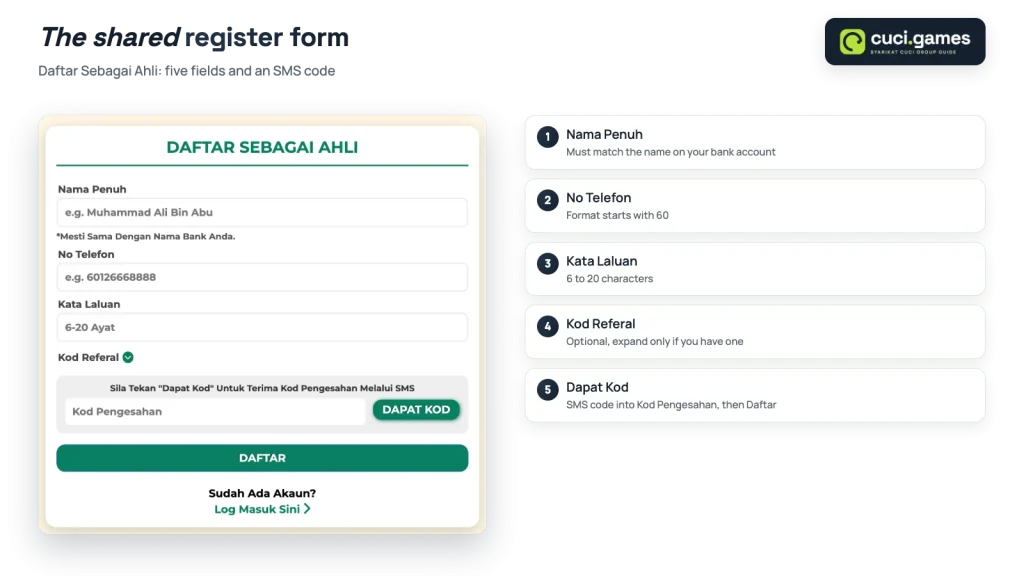
The form opens under the title Daftar Sebagai Ahli on the Bahasa Melayu interface and under Register on the English one. It is short. There are no address, email or ID upload fields on it at all.
| Form field (BM) | English label | What to enter |
|---|---|---|
| Nama Penuh | Full Name | Your name exactly as the bank writes it. The field carries the note Mesti Sama Dengan Nama Bank Anda |
| No Telefon | Mobile No | Your mobile number in the format shown in the field, which begins with 60 |
| Kata Laluan | Password | 6 to 20 characters, shown on the form as 6-20 Ayat |
| Kod Referal | Referrer Code | Optional, hidden behind an expandable link |
| Kod Pengesahan | Verification code | The code sent by SMS after you press Dapat Kod |
A couple of practical points about those fields. The mobile number sample starts with the Malaysian country code, so follow that pattern rather than starting with a 0, because the same number has to receive the SMS code a moment later. And the password limit is a real limit: a long passphrase will be cut off or rejected, so build something short but awkward to guess instead.
Already a member? The form ends with Sudah Ada Akaun? Log Masuk Sini, which takes you straight to the login screen.
The form does not explain why the name matters so much. The reason is the cashier. The balance panel on the shared platform shows a minimum withdrawal of RM25.00, and as a rule across Malaysian lobbies a payout is sent to a bank account in the member’s own name, with the two names compared before the transfer goes out.
Keep in mind
Your full name must match the bank account you will withdraw to. Fixing a mismatch later means contacting the brand instead of simply pressing Withdraw.
So type the name on your bank statement, not the one your friends use. If you have already registered with something different, sort it out before your balance reaches the withdrawal minimum rather than after, and read how your first withdrawal is handled so you know what the cashier will ask for.
Kod Referal is optional and collapsed by default, which is why many members never see it. It exists because the shared platform runs a referral system: the side menu has Share and Downline items, a downline chart and a Copy Referral Link button, and the promotion pages carry cards tied to a downline’s first deposit.
Two things follow from that. If a friend who is already a member gave you a code, expand the field and enter it during registration, because as a rule a code cannot be attached to an account that already exists. If nobody gave you one, leave it empty and register as normal; the field blocks nothing.
Codes themselves are personal to the member who generated them, and this guide does not publish any.
Signing back in needs the mobile number or username you registered with plus your password. The login screen also carries a Forgot Password link, which is the route to take once you are sure the password is wrong rather than the number.
A login problem is easier to solve by elimination than by guessing.
Work through these in order before contacting anyone:
If the browser keeps losing your session, logging in on the app is the other route, since every shared-platform lobby offers its own download from a banner at the top.
OKCUCI is the group’s separate platform, and its screen looks nothing like the others. Instead of the shared form, the top menu carries Mendaftar and Log Masuk buttons beside the game categories Utama, Slots, Memancing, Kasino, Poker, Sukan, E-sports, 4D and Promosi.
Register there and you are a member of that platform alone. It also offers its own downloads, an iOS Lite-App and an Android APP, described as one app covering sports, e-sports, live, lottery and electronic games.
An SMS verification code proves that whoever holds the phone is making the request. That is its whole purpose, so passing it to someone else hands over the account along with it. The same goes for your password, and no support channel has any reason to ask you for either.
A few habits to keep: use a password you do not use for online banking, do not let a public device remember it, and treat anyone offering to register or top up on your behalf as someone who wants your login rather than your custom. Online gambling rules differ by jurisdiction, so check what applies where you live. This guide is written for adults aged 21 and over.
